This support article discusses what columns to select to build an Inventory Value Report in Lead Commerce.
Step 1:
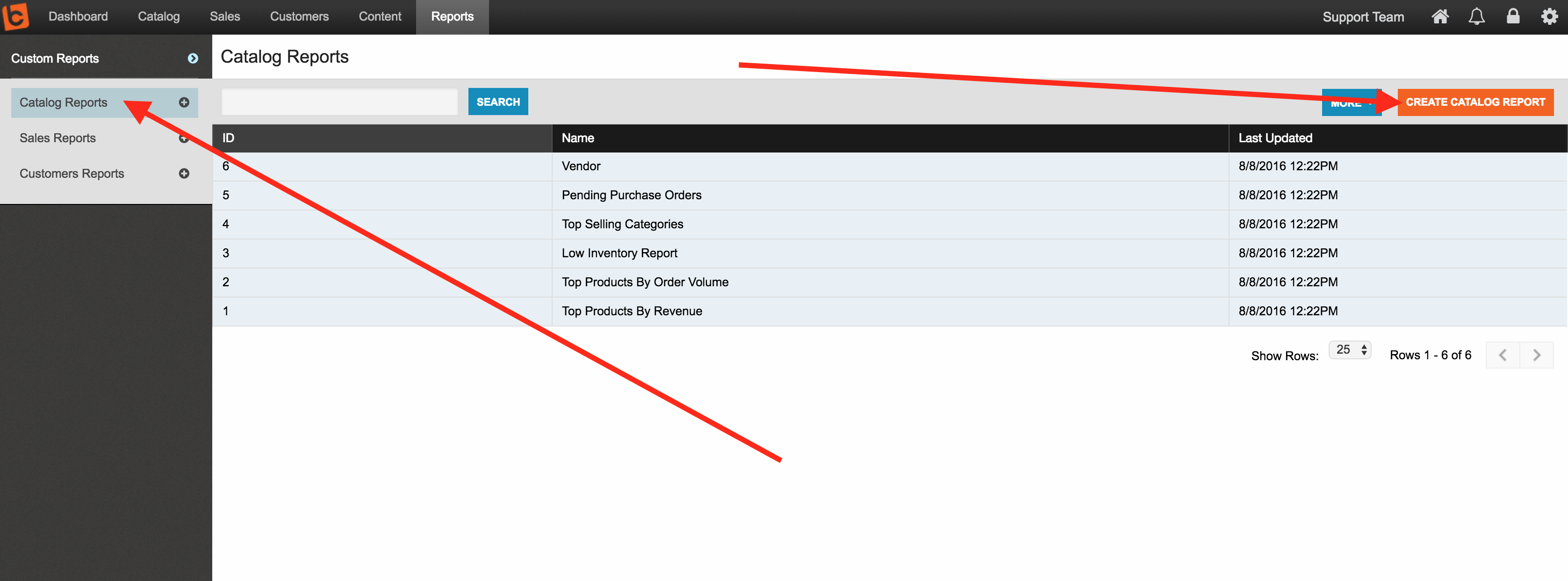
Go to Reports > Catalog Reports
Step 2:
Use the Create Catalog Report and select it
Step 3:
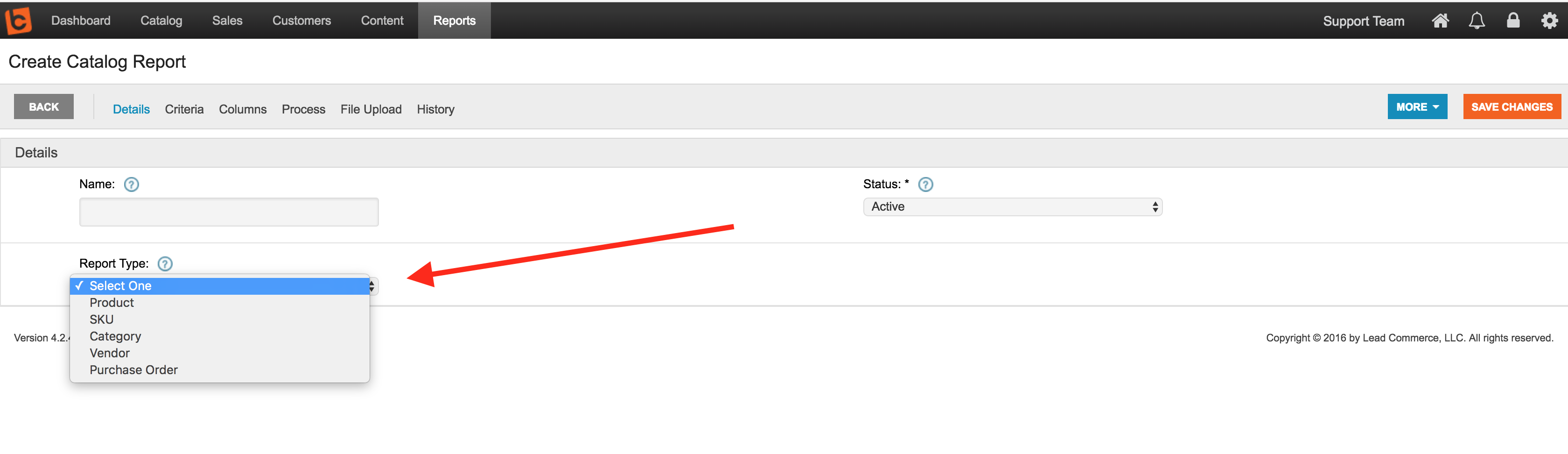
Name your report what ever you like and then in the Report Type dropdown list choose SKU Report and save
Step 4:
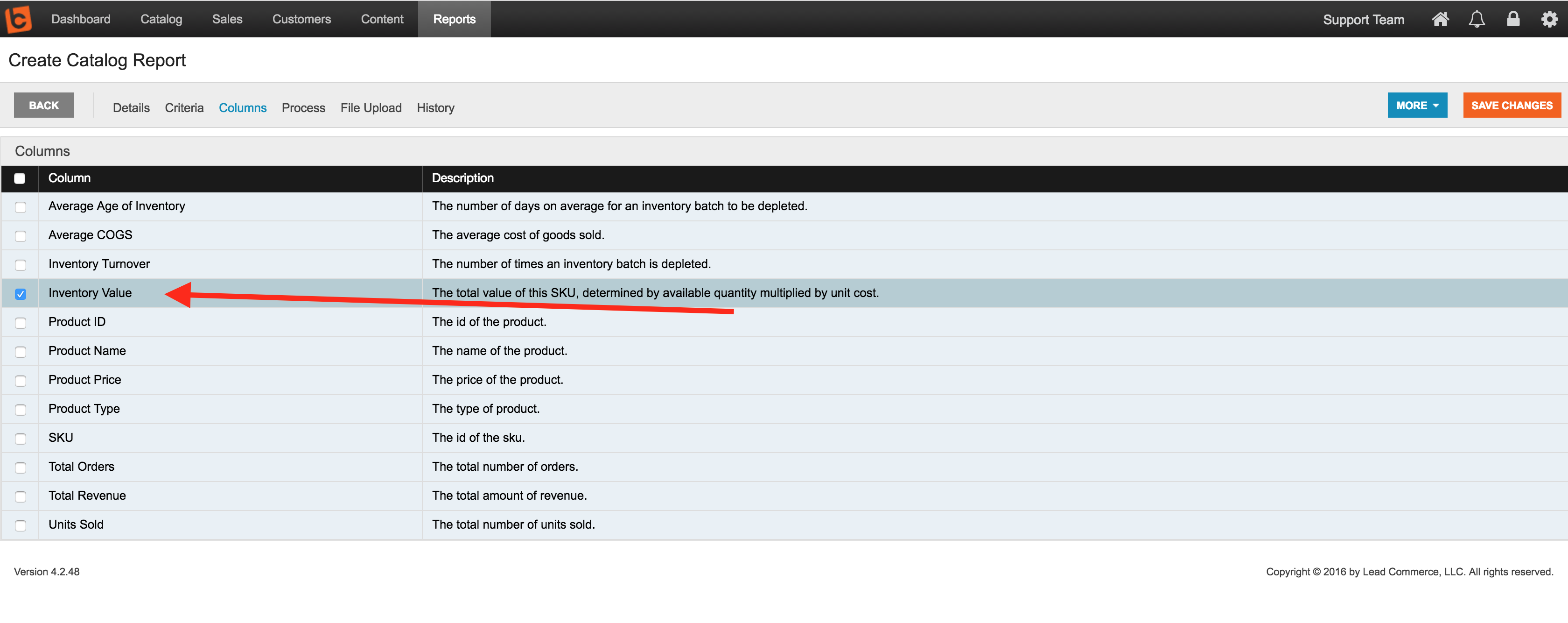
On the Columns section of the report, choose the Inventory Value column and any other data fields you would like.
Step 5:
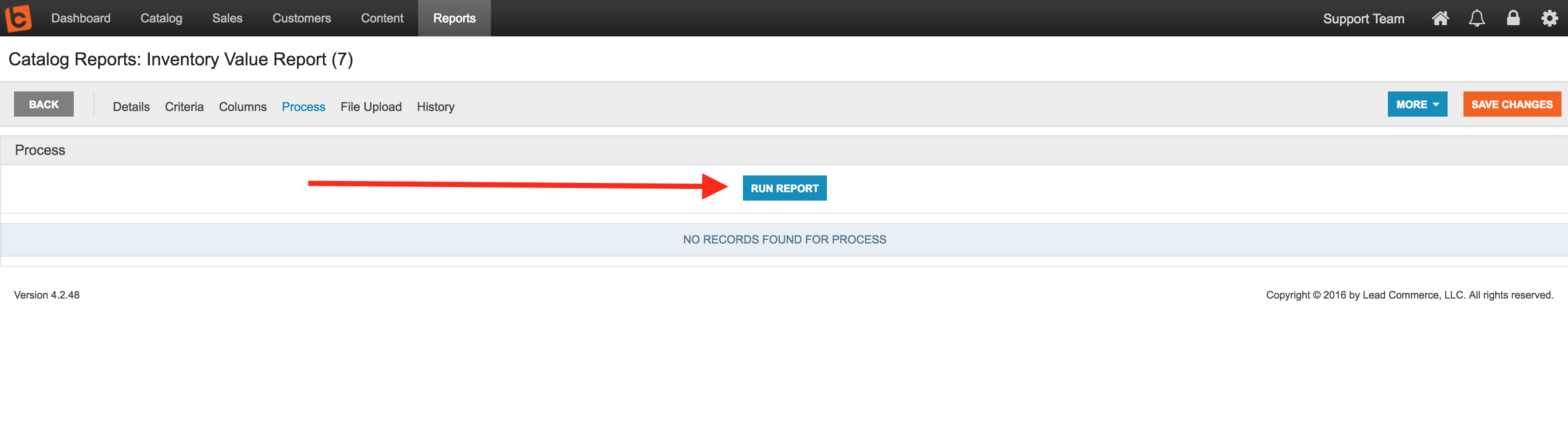
Save these new settings and then run your report using the Process section.

 Made with ❤ in the USA.
